Posts

Top 5 free best logo design websites
Image
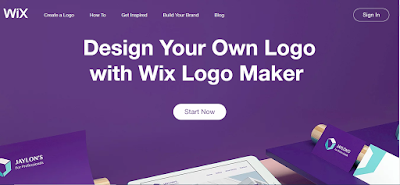
Here are the Top 9 Free Best Logo Design Website... Wix Logo Maker Wix Logo Maker With Wix Logo Maker, you can design a logo that looks exactly the way you want. Each logo is completely customizable—change the font, color, size, text and more to fit your brand. Plus, you get full commercial use rights of any logo you create.  Logojoy LogoJoy Logojoy is like working with a real designer, but without the cost or back and forth. The intelligent learning AI uses a guided process to help you make some key choices before generating stunning results. And the built-in tools let you modify in real-time. The whole process is free until you find the perfect logo and costs as little as $20. Shopify Shopify Free logo maker tool to generate custom design logos in minutes. Choose free vectors, fonts and icons to design your own logo. Logaster Logaster Logaster is an online tool to create really good designs for your logo. It’s the most used online software to make super fast and efficient logos. ...

Integrate Google Sign In in Android Studio

Image
Today I'll teach you how to Integrate Google SignIn in android studio. First for signIn we need Internet Permission. So add Internet permission. <uses-permission android:name="android.permission.INTERNET" /> Then we go to activity_main.xml. <?xml version="1.0" encoding="utf-8"?> <LinearLayout xmlns:android="http://schemas.android.com/apk/res/android" xmlns:app="http://schemas.android.com/apk/res-auto" xmlns:tools="http://schemas.android.com/tools" android:id="@+id/main_layout" android:layout_width="match_parent" android:layout_height="match_parent" android:background="#000000" android:weightSum="4"> <ProgressBar android:id="@+id/progressBar" android:layout_width="0dp" android:layout_height="0dp" android:layout_marginBottom="8dp" android:visib...

Screen Recorder in Android Studio

Image
Today I'll teach you how to make a screen recording app in android studio. Screen Recording feature is available only for API level above or equal 21(LOLLIPOP) . Before Lollipop app must require root permission to record screen. You can also the whole project Download Project Follow the below instructions :- 1) Add the Storage permission and audio permission in your Android Manifest file. <uses-permission android:name="android.permission.WRITE_EXTERNAL_STORAGE"/> <uses-permission android:name="android.permission.READ_EXTERNAL_STORAGE"/> <uses-permission android:name="android.permission.WRITE_INTERNAL_STORAGE"/> <uses-permission android:name="android.permission.RECORD_AUDIO"/> Your android manifest will look like below:- <?xml version="1.0" encoding="utf-8"?> <manifest xmlns:android="http://schemas.android.com/apk/res/android" package="com.sanjay.ezyscreenrecorder"...

Make a layout with rounded corners in sketchware

Image
1) Create a new sketchware project. 2) Drag and drop a Linear layout with id linear1 . 3) Add a widget that you want make a rounded corners inside Linear Layout linear1 . It may be EditText or Button or TextView or ImageView, etc. 5) Add a new more block round with View view , string color  ,string stroke_c and a number radius . 6) Paste the below code to the more block :- android.graphics.drawable.GradientDrawable gd = new android.graphics.drawable.GradientDrawable(); gd.setColor(Color.parseColor(_color)); gd.setCornerRadius((float)_radius); gd.setStroke(2, Color.parseColor(_stroke_c)); _view.setBackground(gd); 7) In onCreate event add the more block with your view, colour, stroke colour and radius. Thank you...

Make an advanced text editor in sketchware

Image
PLEASE SUBSCRIBE Click here to subscribe... Code :- Collections.sort(string_files, String.CASE_INSENSITIVE_ORDER); Collections.sort(newVv, String.CASE_INSENSITIVE_ORDER); Collections.sort(hiddenOnes, String.CASE_INSENSITIVE_ORDER); Thank you

Toast a message with a custom view in sketchware

1) Create a new Sketchware Project. 2) Add a new Custom view with name custom . 3) Add a more block customToast with a String text . 4) In that Moreblock add a ASD block and copy the below code:- LayoutInflater inflater = getLayoutInflater(); View toastLayout = inflater.inflate(R.layout.custom, null); TextView textview = (TextView) toastLayout.findViewById(R.id.textview1); textview.setText(_text); LinearLayout linear = (LinearLayout) toastLayout.findViewById(R.id.linear1); Toast toast = new Toast(getApplicationContext()); toast.setDuration(Toast.LENGTH_SHORT); toast.setView(toastLayout); toast.show(); 5) Go to the custom view then add a Linear Layout linear1 and a TextView textview1 inside it. 6) By using this moreblock customToast you can show custom toast. Thank You... In order to make the custom toast rounded replace the above code with this code:- LayoutInflater inflater = getLayoutInflater(); View toastLayout = inflater.inflate(R.layout.custom, null); TextView textview = (TextView...

Menu with icon in actionbar in sketchware

Image
1) Create a sketchware project. 2) Add a more block extra. 3) In that more block  extra  do as below:- 4) Code used in First ASD block is:- } @Override public boolean onCreateOptionsMenu (Menu menu){ menu.add(0,0,0,"Settings").setIcon(R.drawable.settings) .setShowAsAction(MenuItem.SHOW_AS_ACTION_ALWAYS); menu.add(0,1,1,"Profile"); menu.add(0,2,2,"About"); menu.add(0,3,3,"Rate now"); return true; 5) Code used in Second ASD block is:- } @Override public boolean onOptionsItemSelected(MenuItem item){ switch (item.getItemId()){ case 0: _settings(); break; case 1: _profile(); break; case 2: _about(); break; case 3:  _rate(); break; } return super.onOptionsItemSelected(item); 6) Since I added 4 menus there is only 4 cases. 7) Then add a image with name settings. 8) Then add 4 more blocks. In here I am created  settings ,  profile ,  about ,  rate  . That,s all. Save and run project...